Holiday Savings Map · Digital planner
Your gifts need a plan.
Not a bigger budget.
Shipping fees. Last-minute gifts. Forgotten returns. Give every dollar a job before you check out.
8 fillable worksheets. One clear plan.USD · One-time purchase · Save on your phone
Optional $3 Grocery & Gas Pack. Starts unchecked. No subscription.
Look inside the actual worksheets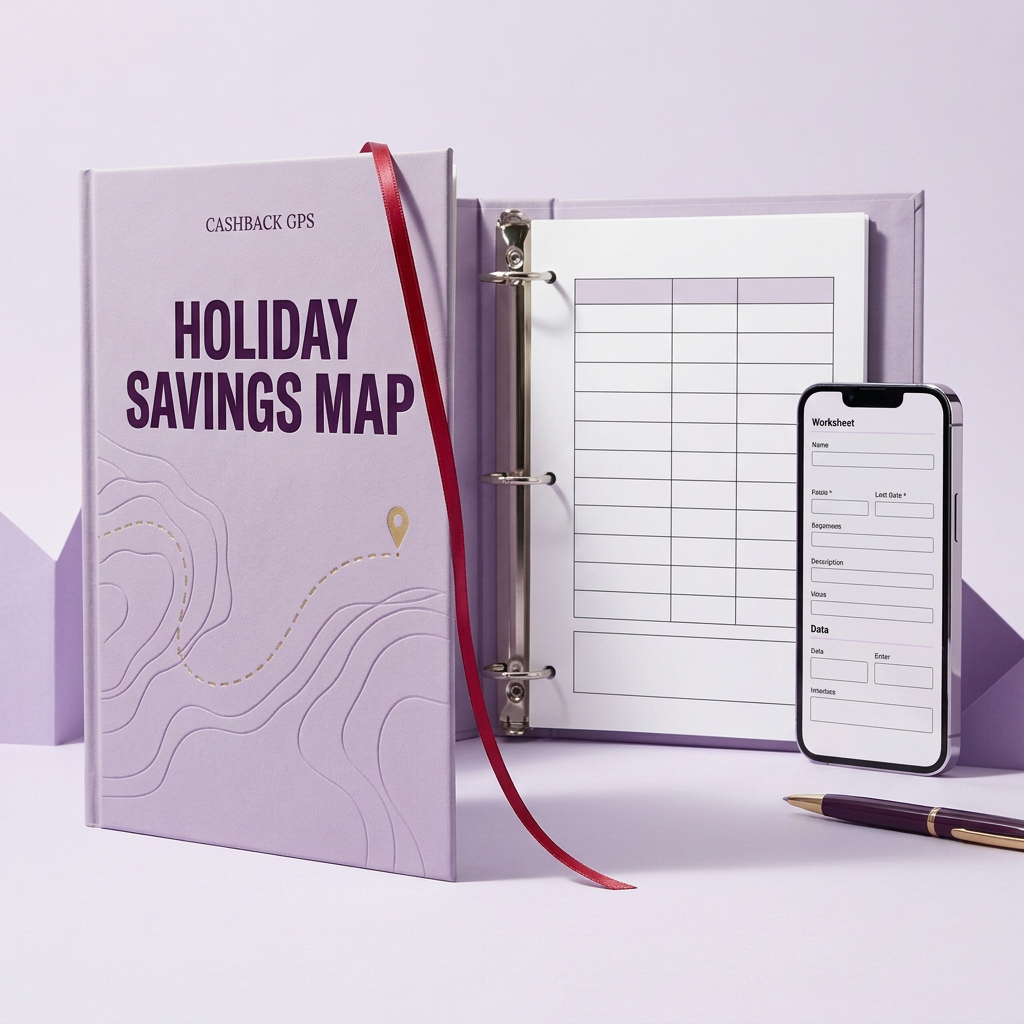
Real pages. A practical plan.
See what’s inside before you buy
Eight fillable holiday planner pages for $9. The optional $3 pack adds three separate grocery and gas worksheets. The completed example shows the same budget page filled in; your download has blank worksheets for your own numbers.
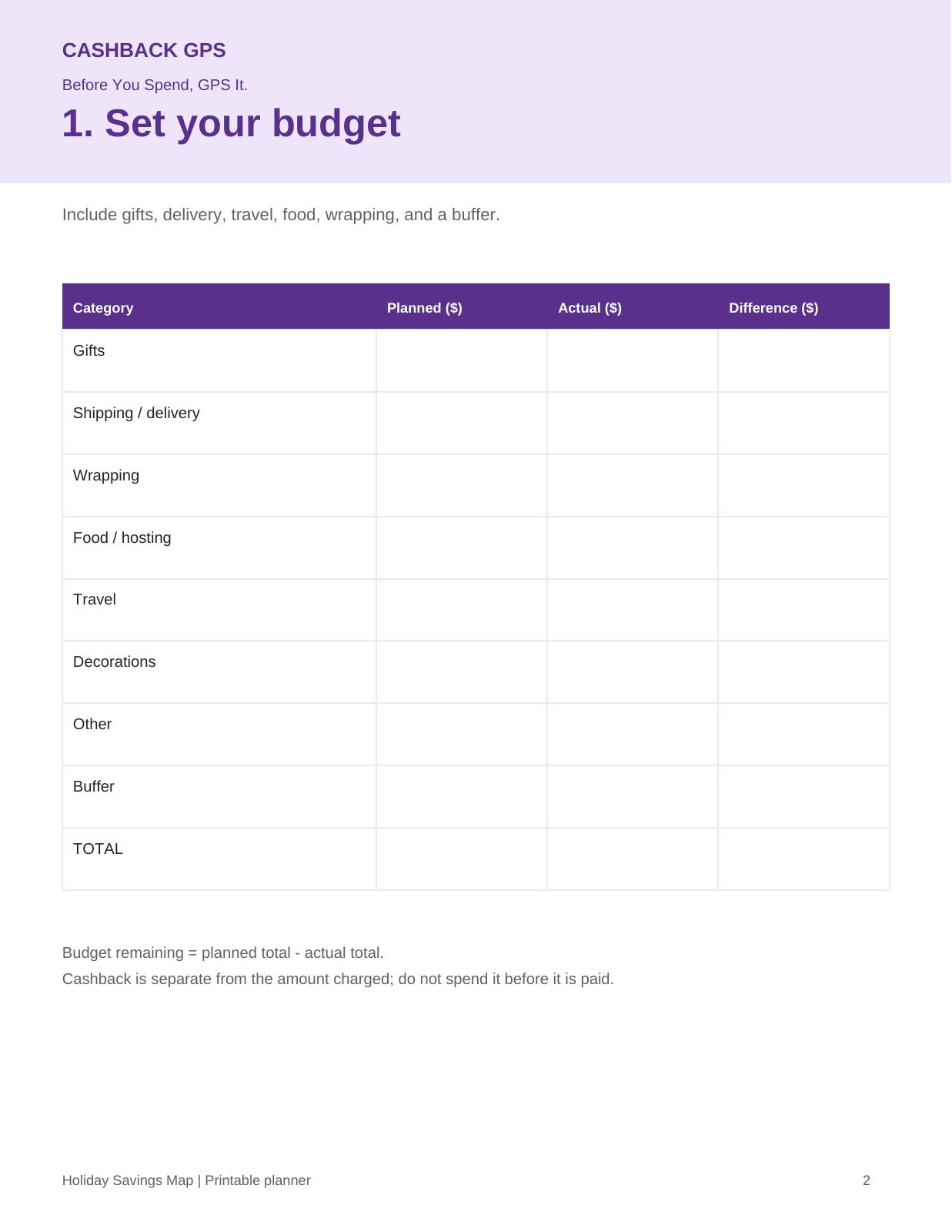
Actual worksheet · page 2
Gift & holiday budget
Plan gifts, delivery and extras. Compare planned and actual spending.
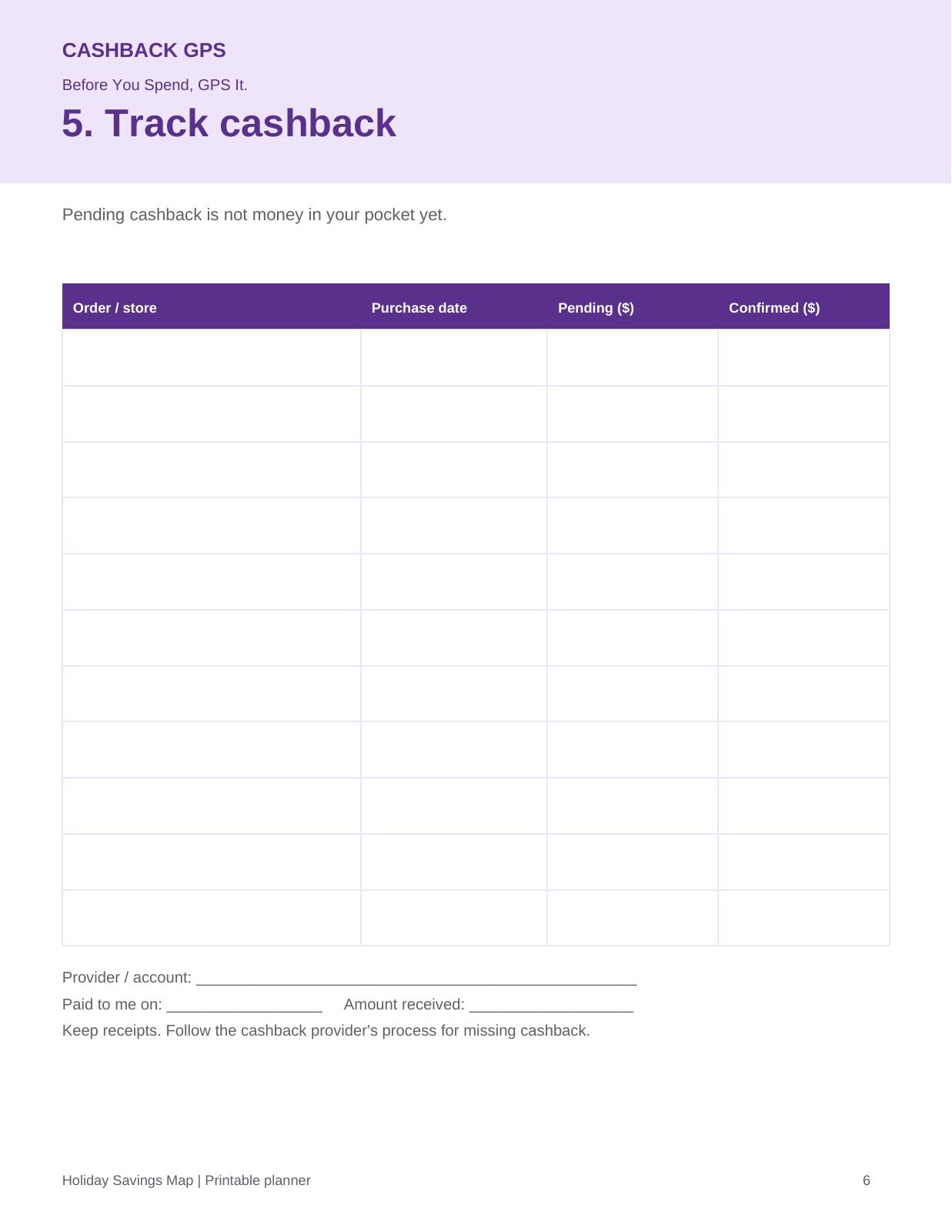
Actual worksheet · page 6
Cashback tracker
Keep pending and confirmed cashback separate, with room for payment dates.
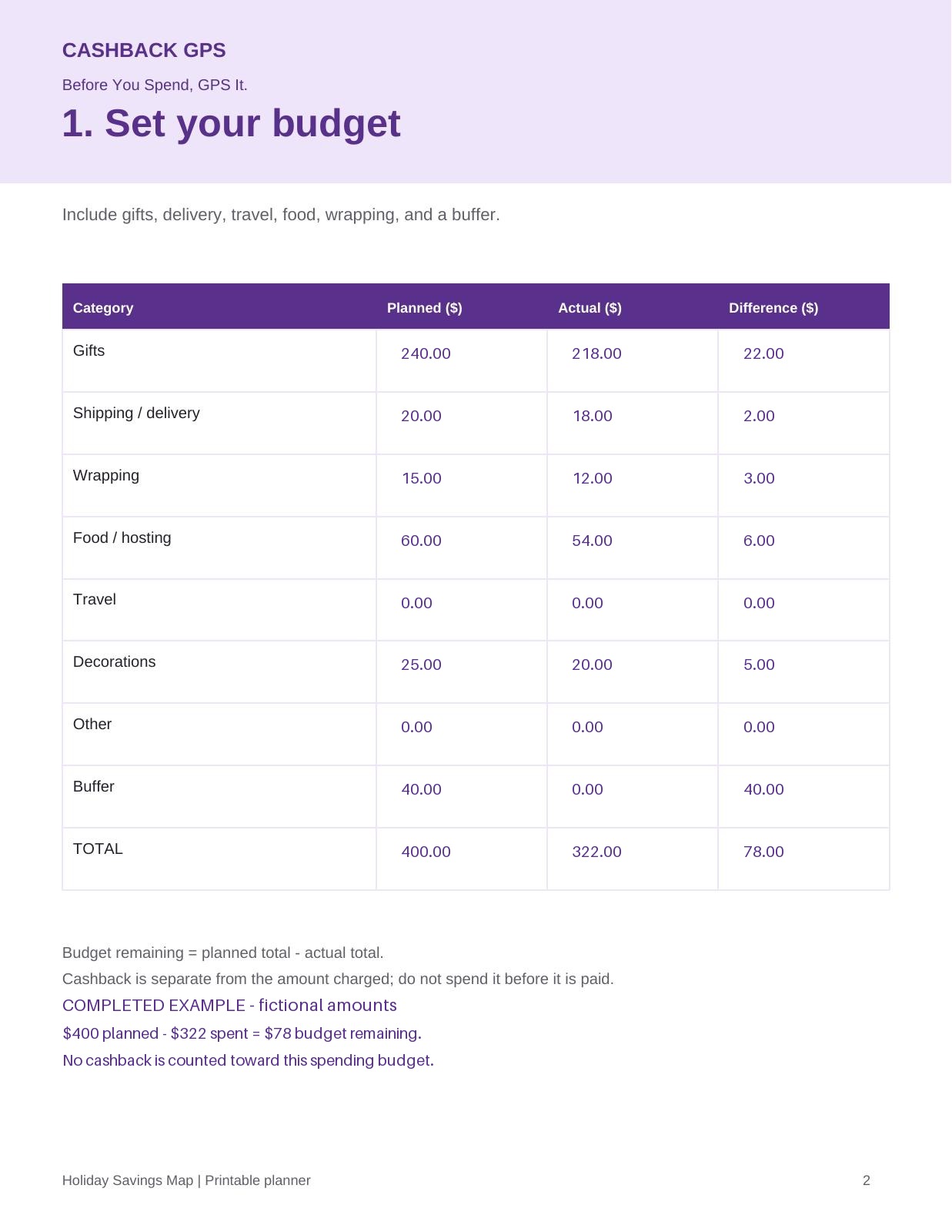
Filled-in version of page 2
Completed budget example
See a $400 plan with $322 spent and $78 left. Fictional amounts, not promised savings.
Inside your $9 map
One-time payment. $9 USD. PDF access after confirmed checkout.
Optional $3 pack · No subscription
Fillable fields and a tappable checkout checklist. Includes holiday budget, gift list, spending, cashback and order trackers. Grocery and gas worksheets are a separate optional $3 download. Cashback is not guaranteed.
Your phone. Your plan. Your private numbers.
Once downloaded, fill in and save your planner on your phone without signing into Cashback GPS. We do not receive or store your worksheet entries. An account is currently required only to purchase and access your protected download.
- After purchase, download your planner and save a copy to Files on iPhone or Downloads on Android.
- Open it in a PDF app that supports fillable forms, such as Adobe Acrobat Reader. Tap fields to enter your details and tick your checklist.
- Save your updated copy in that app after editing. Your entries stay in your saved file, not in your Cashback GPS account.
Some phone and browser previews cannot edit or save form entries. Open the downloaded file in a form-compatible PDF app instead.
Get the free checklistStart the free challenge